CUE

Every step of growth, together on CUE

From casting to training, music, and agreements. Run everything a debut needs with CUE alone.
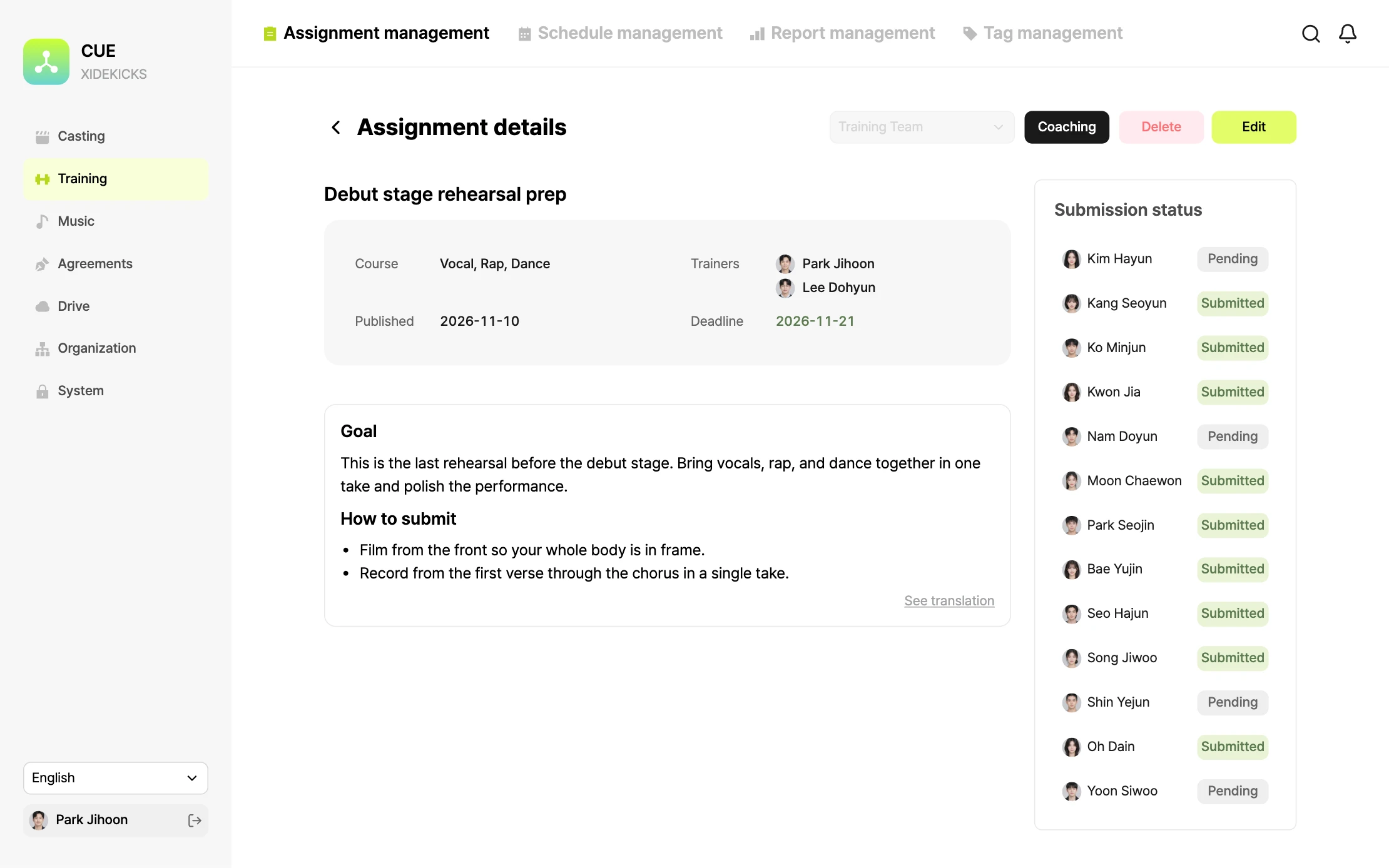
The console's assignment detail screen. Next to the goals, submission instructions, and attachments of a debut stage rehearsal assignment, each trainee's submission status is shown.

Not sheets and chats, one connected flow

Casting, training, schedules, settlements, agreements, and files, all connected.

Casting

Application to offer, in one list

Set each applicant's status and manager, and find anyone by nationality or date.
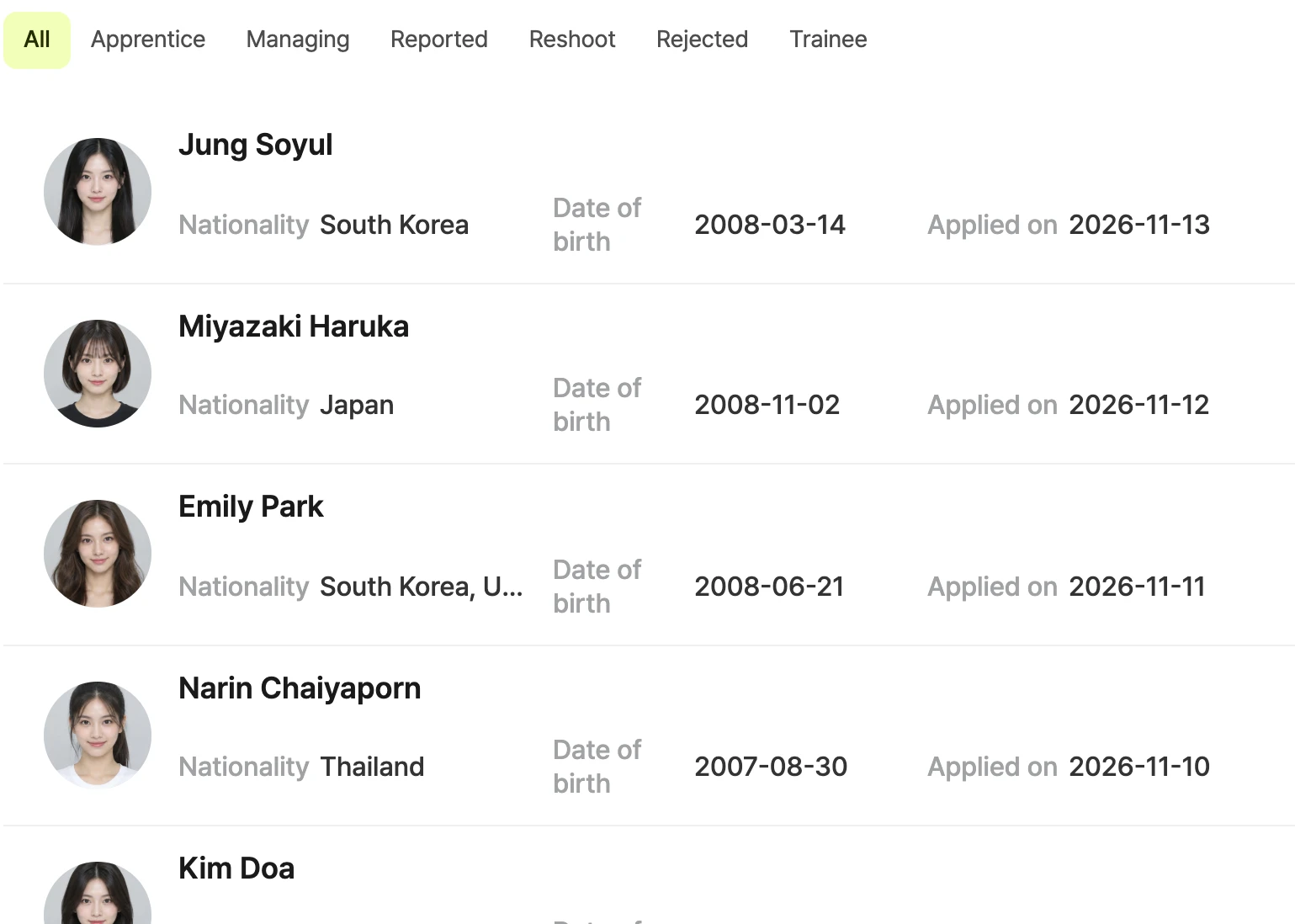
The console's in-house audition screen. Below the status tabs, applicants are listed with their photo, nationality, date of birth, and application date.

Training

Give assignments, track submissions

See who has submitted each assignment, and never miss a due date.
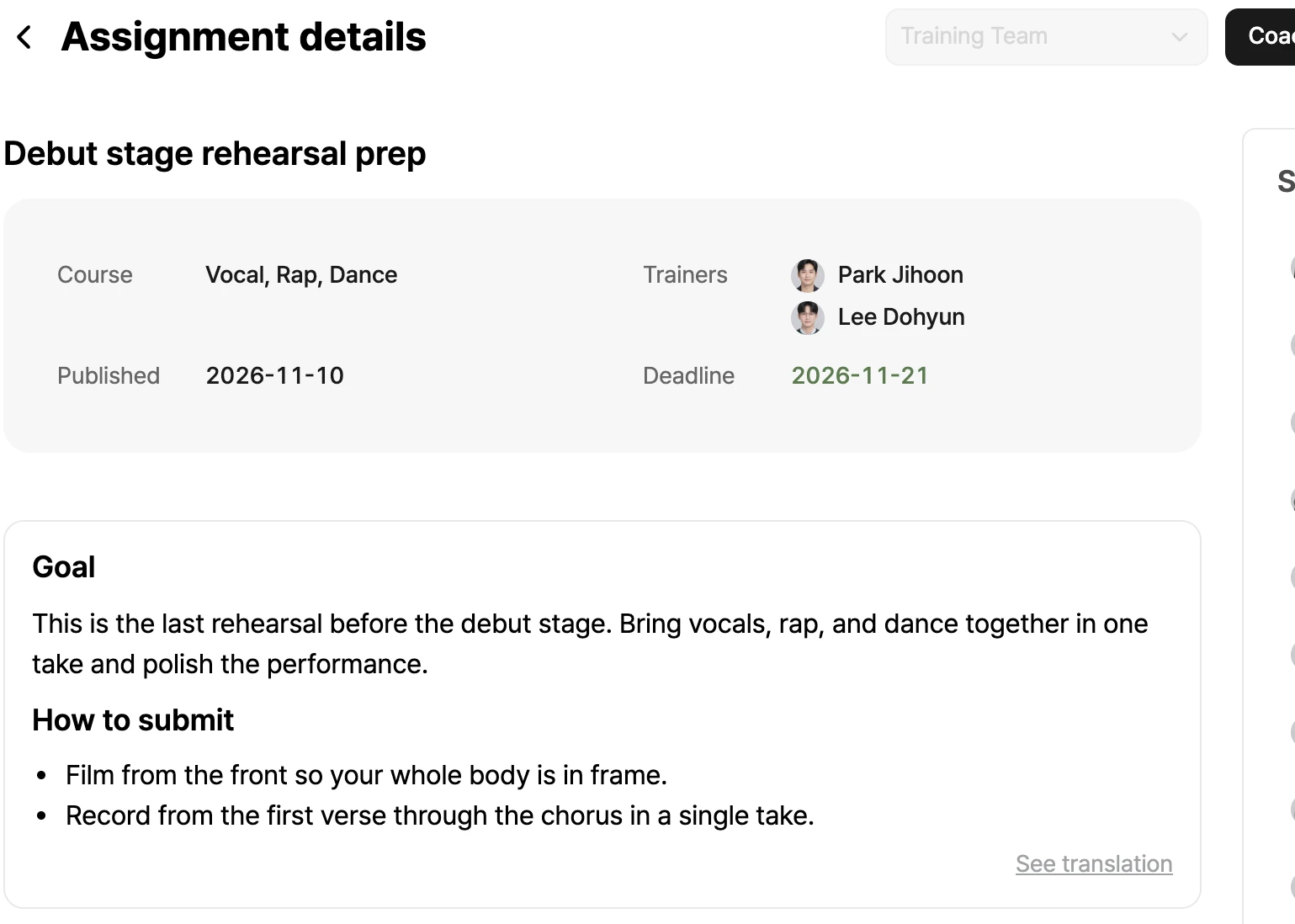
The console's assignment detail screen. It shows the courses, trainers, due date, goals, and submission instructions of a debut stage rehearsal assignment.
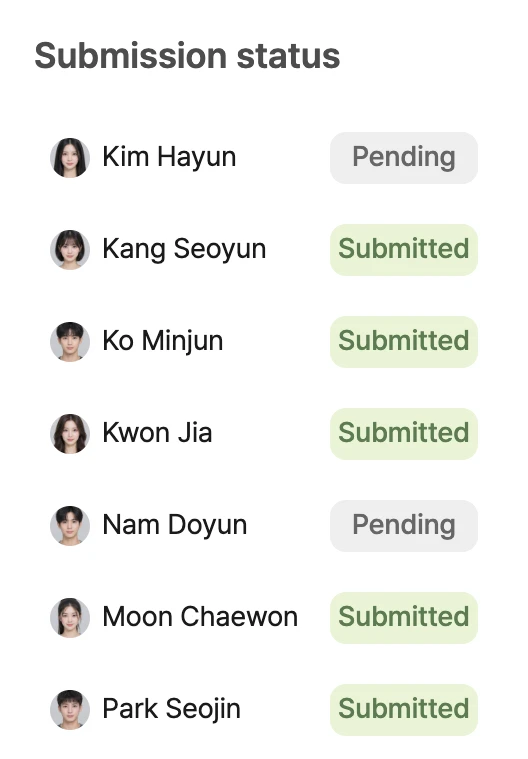
Submission status. Seven trainees are shown as submitted or not submitted.

Coaching

Precise coaching, right on the video

Comment at the exact moment with timecodes, and trainees check it on their phones.
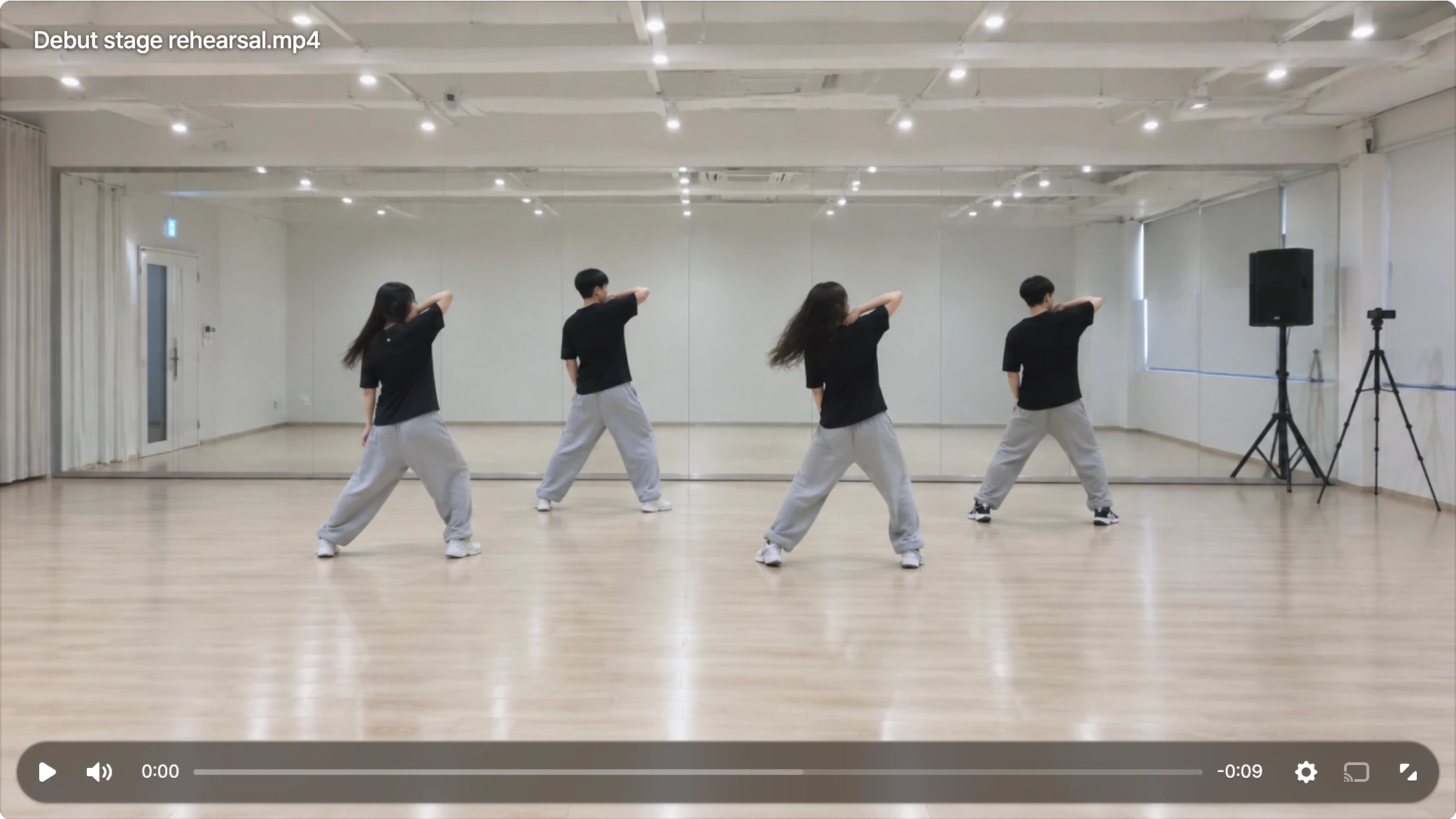
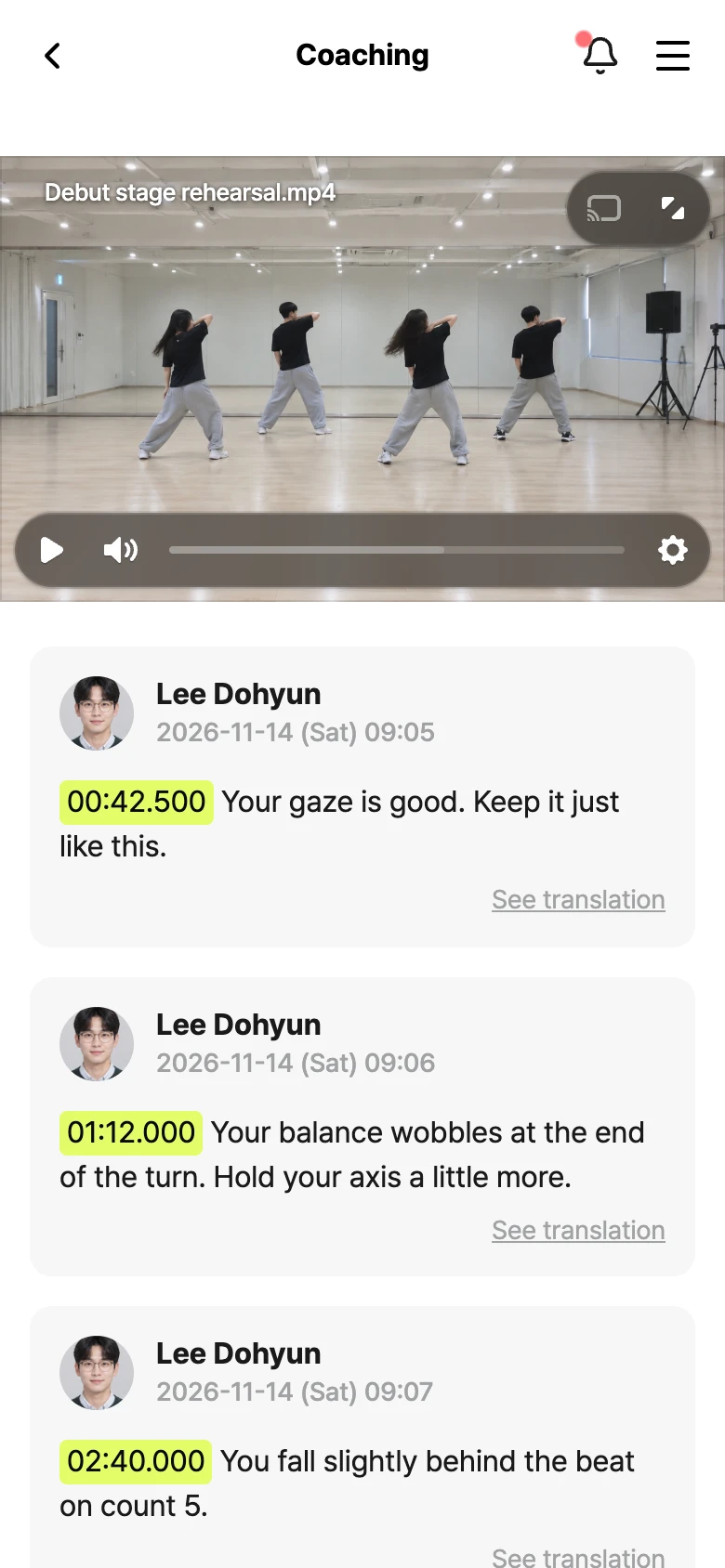
The rehearsal video on a coaching screen. Four dancers practice choreography in a studio.
A comment from trainer Lee Dohyun at 00:42.500: Your gaze is good. Keep it just like this.
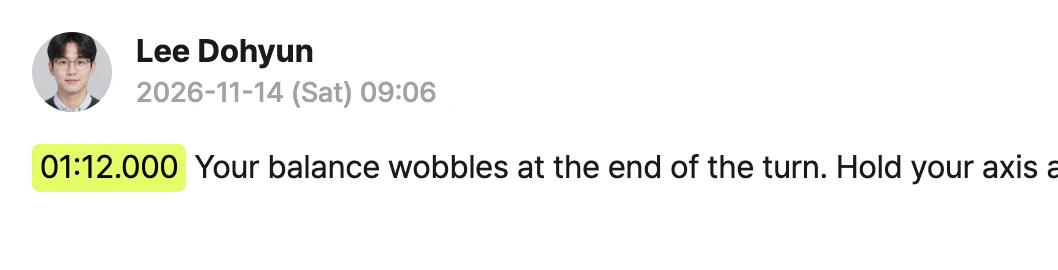
A comment from trainer Lee Dohyun at 01:12.000: Your balance wobbles after the turn. Hold your axis.

Schedules

Rooms and lessons on one timetable

Double bookings for a room are blocked, and trainees see only their own schedule.
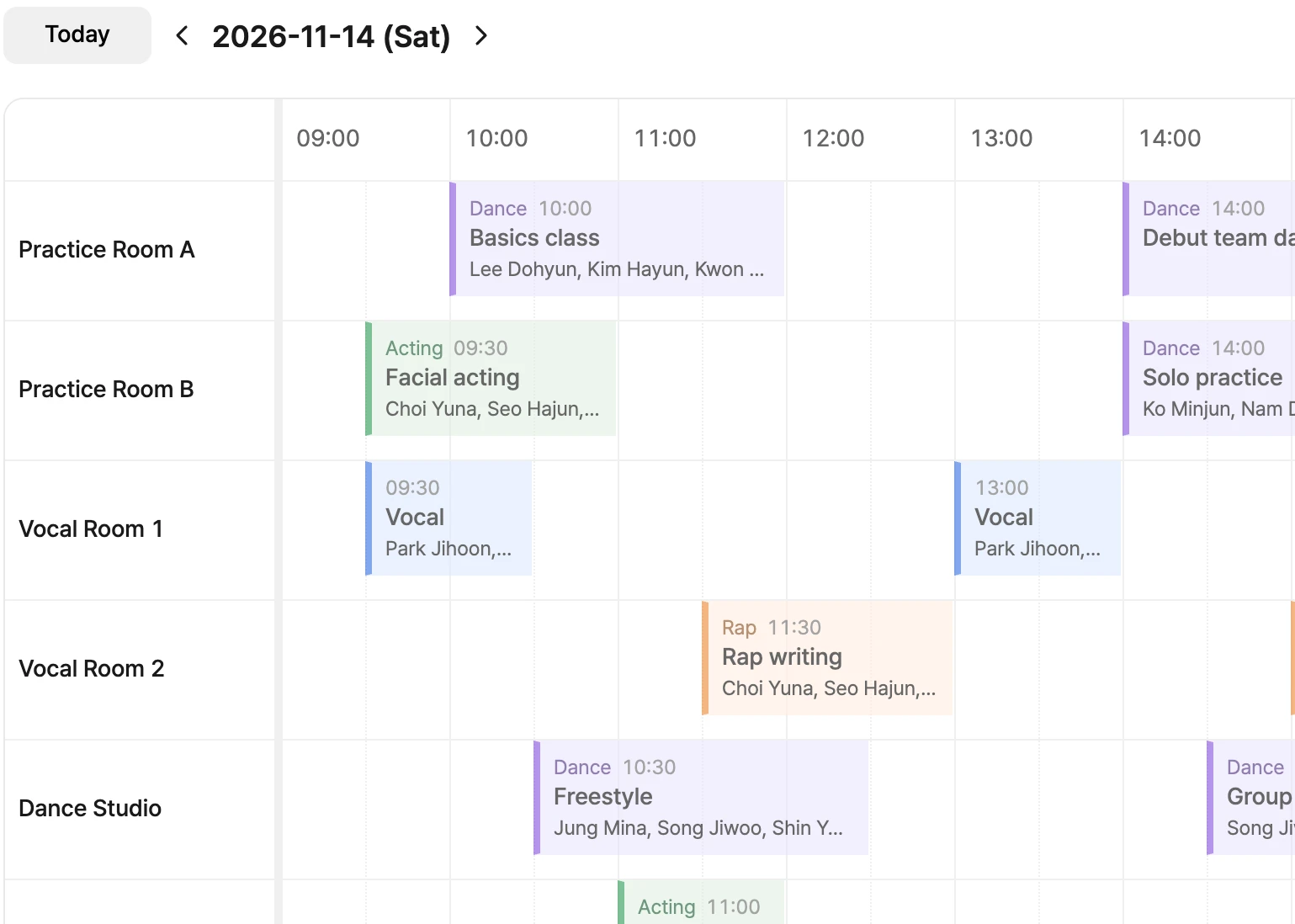
The console's schedule screen. One day is laid out as a timetable by room, from Practice Room A to the dance studio, with lessons and solo practice color-coded.

Settlements

Lessons taught, settled in one flow

Scheduled lessons are calculated at contract rates, and confirmed statements print right away.
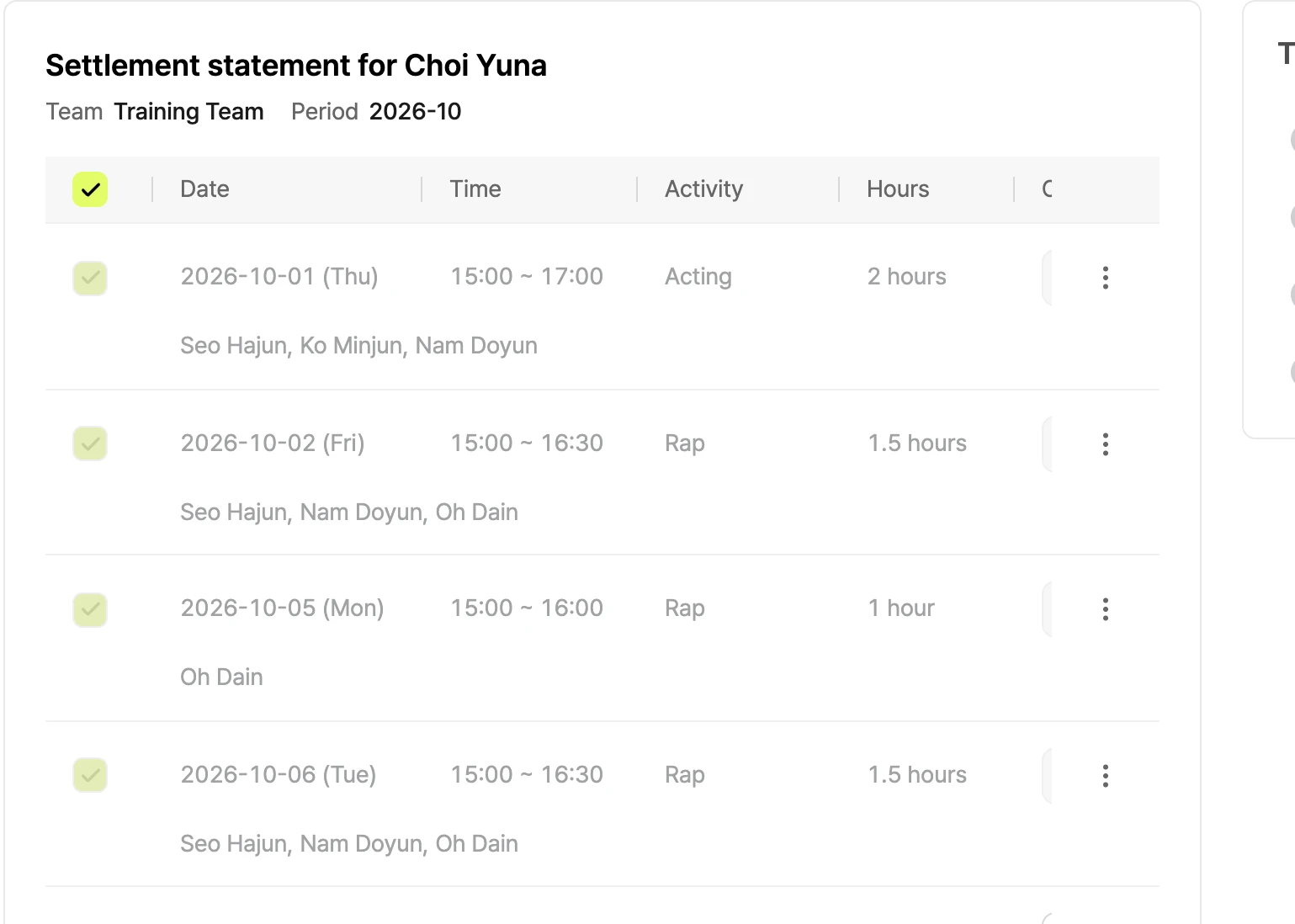
The console's settlement screen. One trainer's October lessons are listed with date, time, activity, hours, and attendees.

Reports

A trainee's growth in a single report

Trends, hours, and submissions for every trainee.
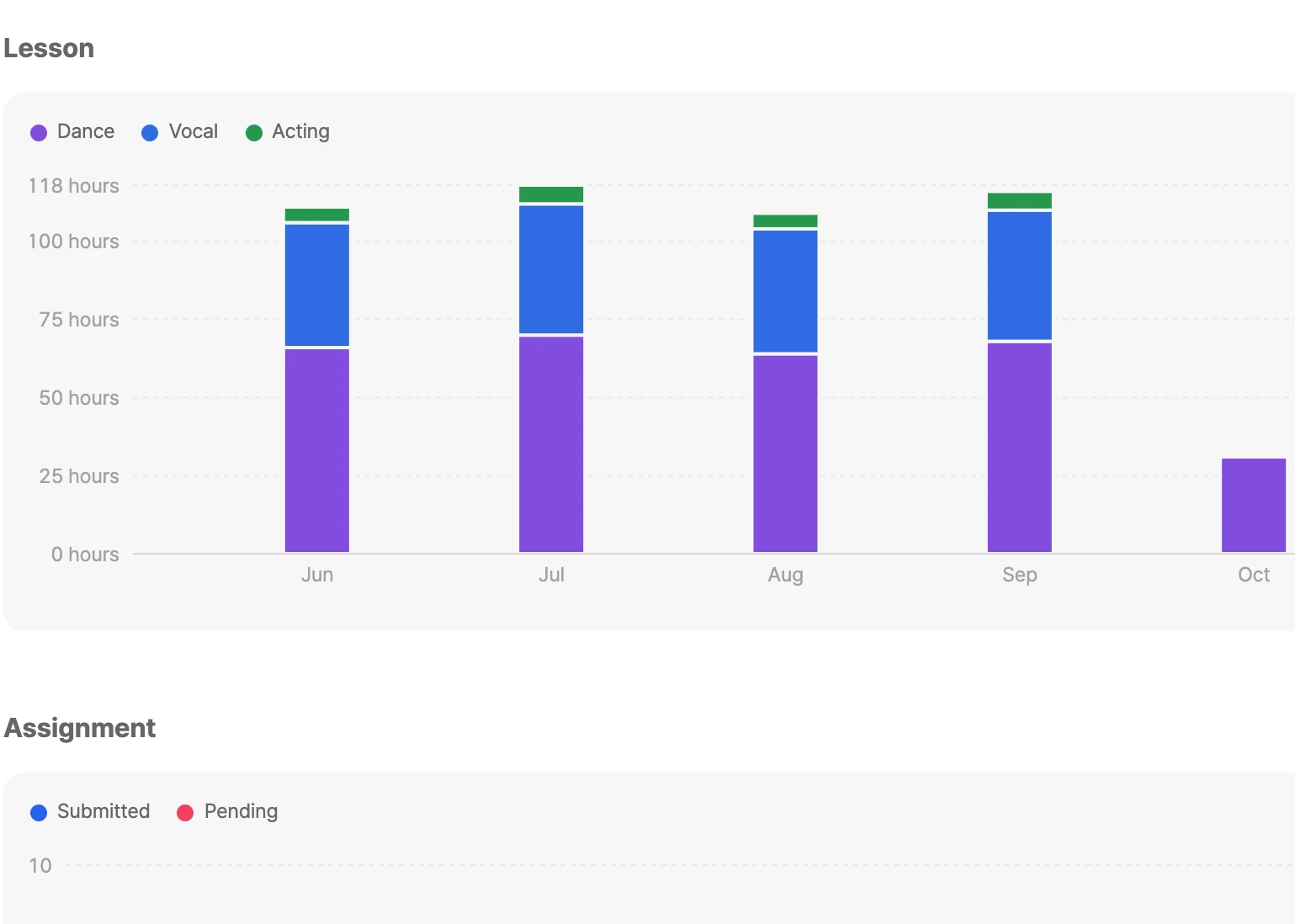
The console's report detail screen. A bar chart shows monthly lesson hours split into dance, vocal, and acting.

Music

Demo to release, songs in one place

Track sessions, people, and costs per version.
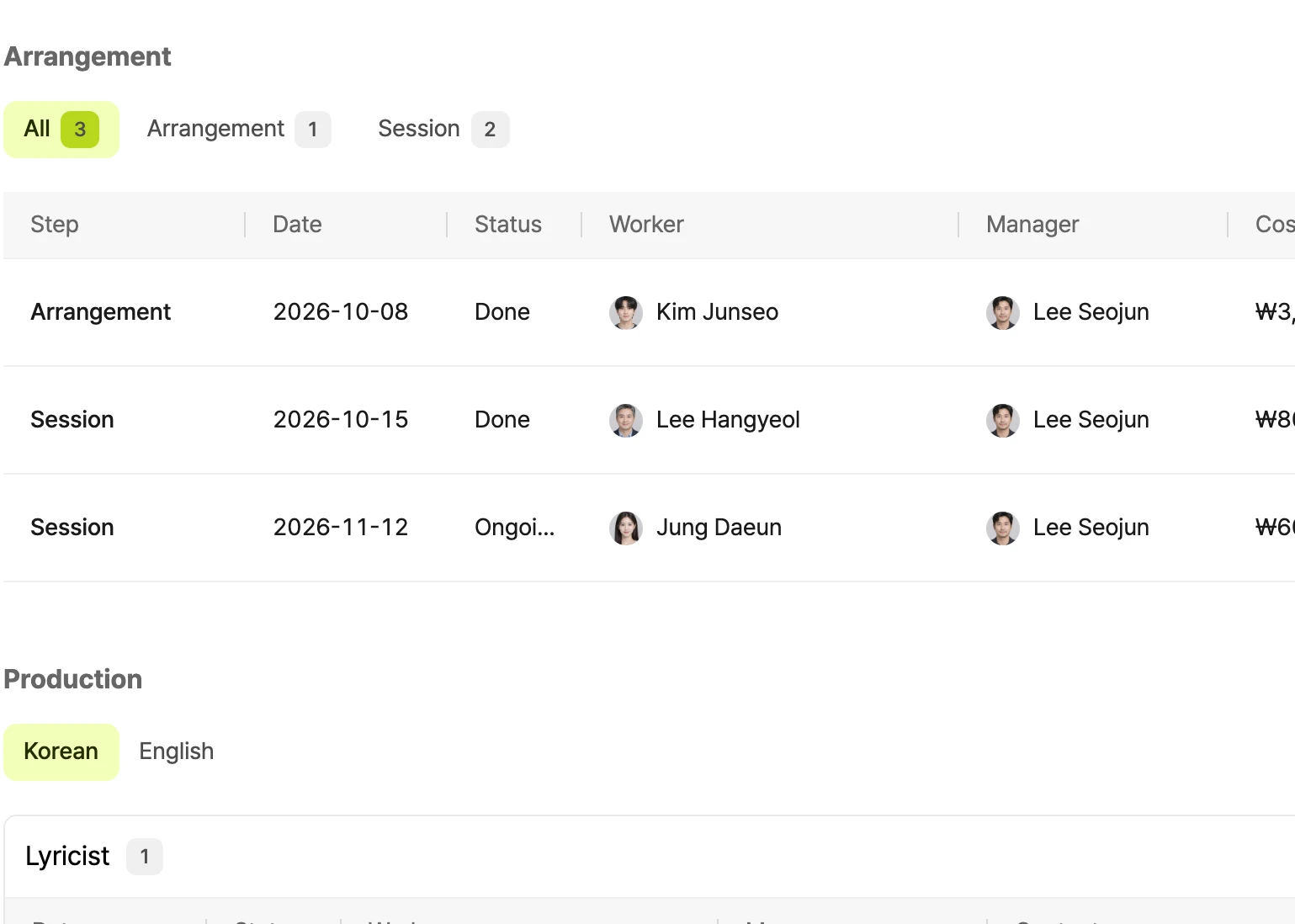
The console's song version screen. The arrangement and session steps of the original version are listed with date, status, contributor, and manager, followed by recordings per language.

Agreements

Guardian consent, easy on the phone

Send a consent form, guardians reply by phone, and results show up right away.
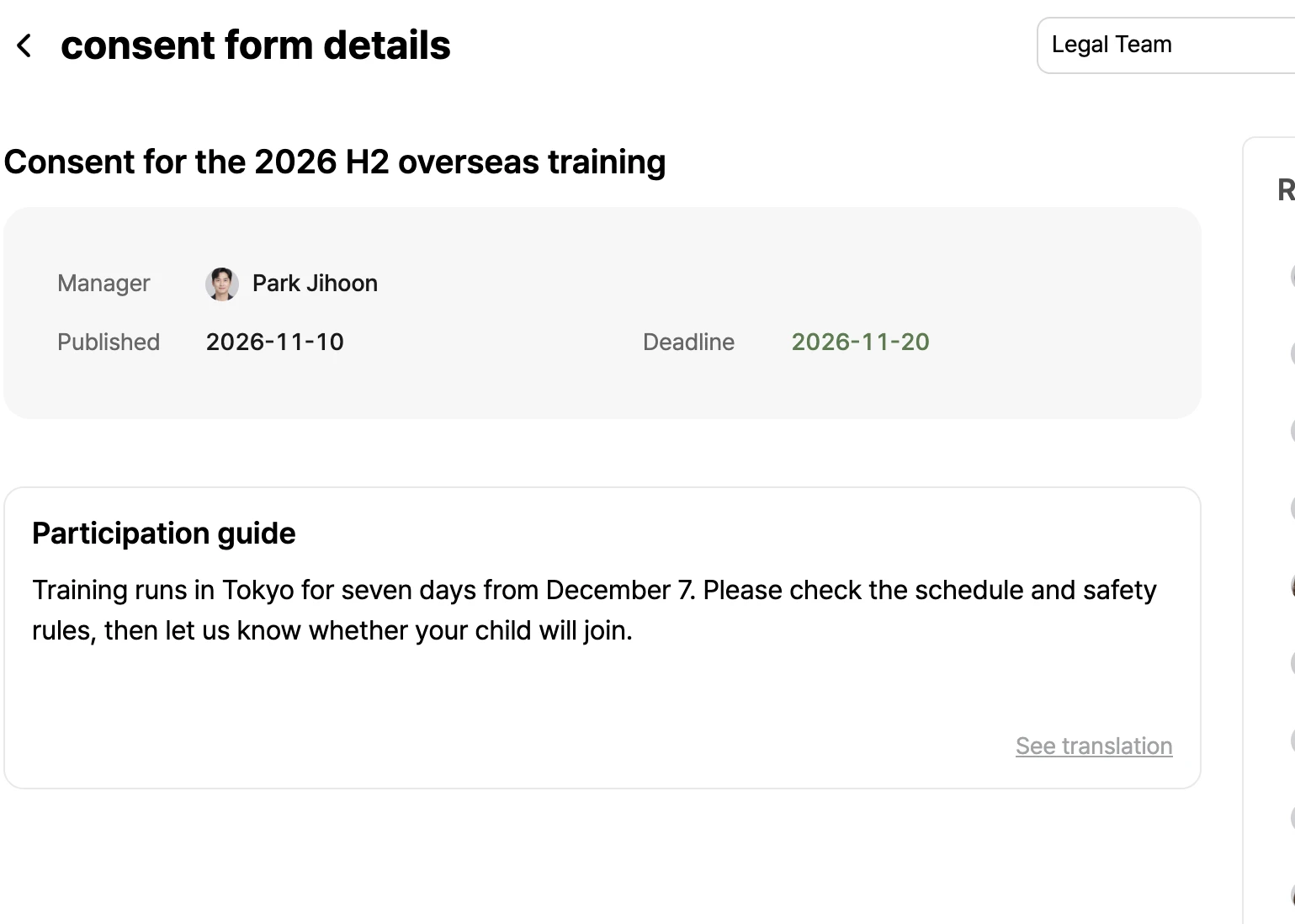
The console's consent form detail screen. It shows the manager, posting date, due date, and participation guide of an overseas training consent form.
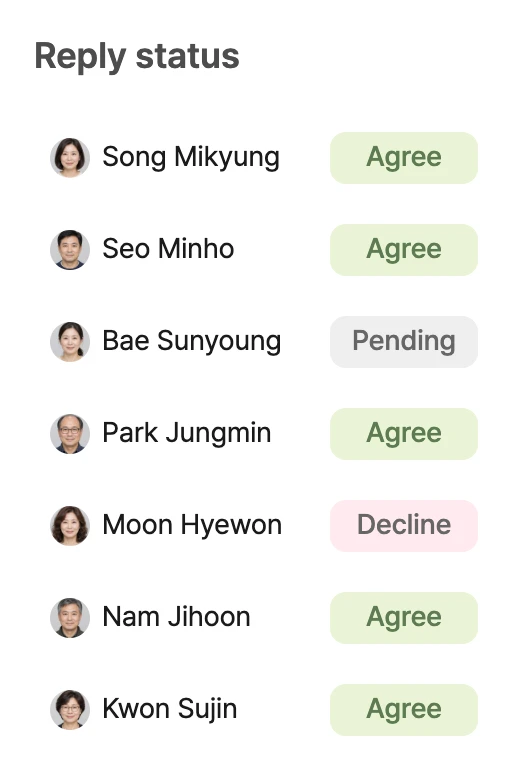
Reply status. Seven guardians are shown as agreed, declined, or not yet replied.

Drive

Files in one place, sharing with one link

Keep videos, audio, and docs in folders, and share safely with expiring links.
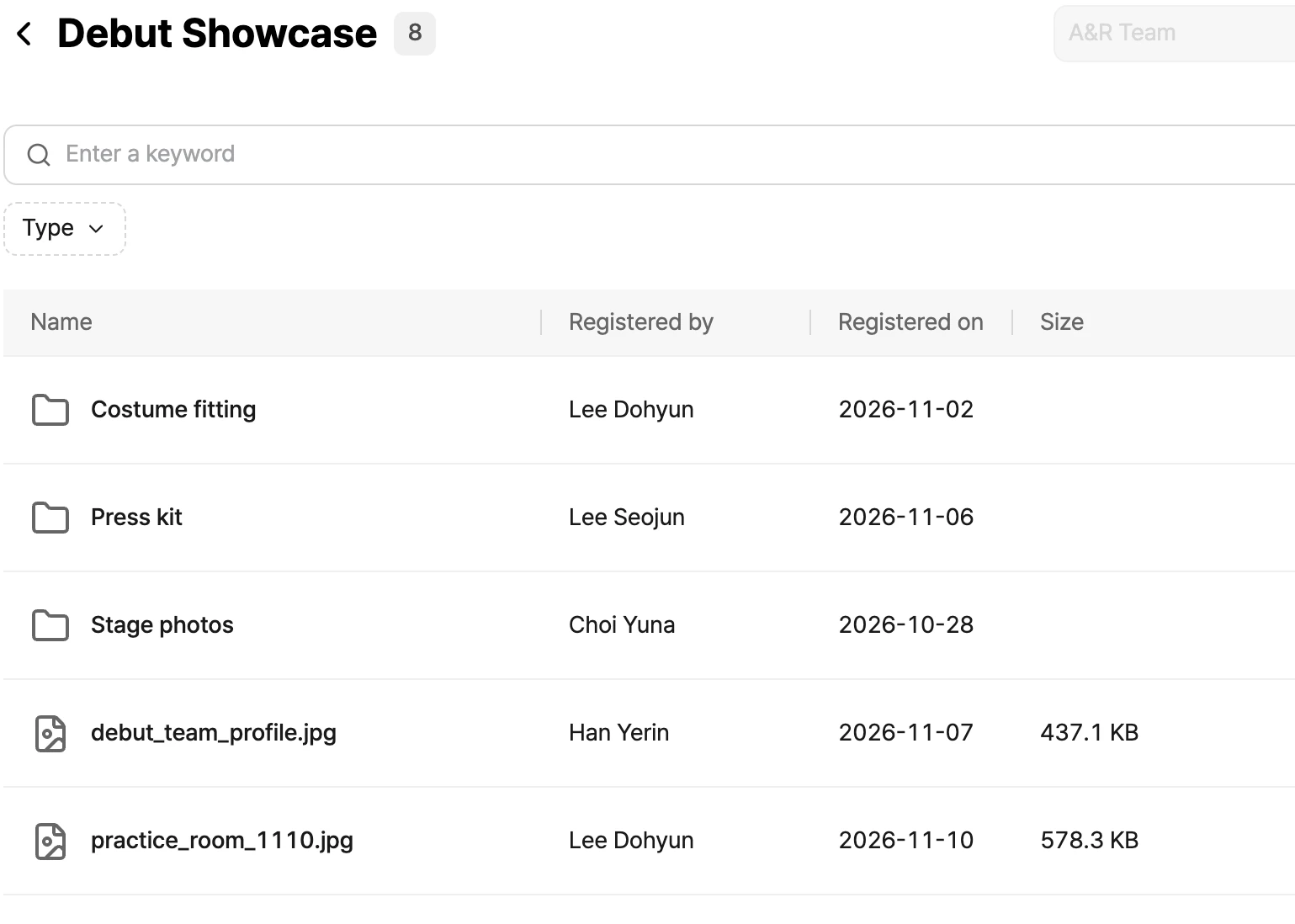
The Debut Showcase folder in the console's drive. Folders and files are listed with who added them and when.

Search

Don't search, just ask

AI searches assignments, songs, and forms, then answers with sources you can access.
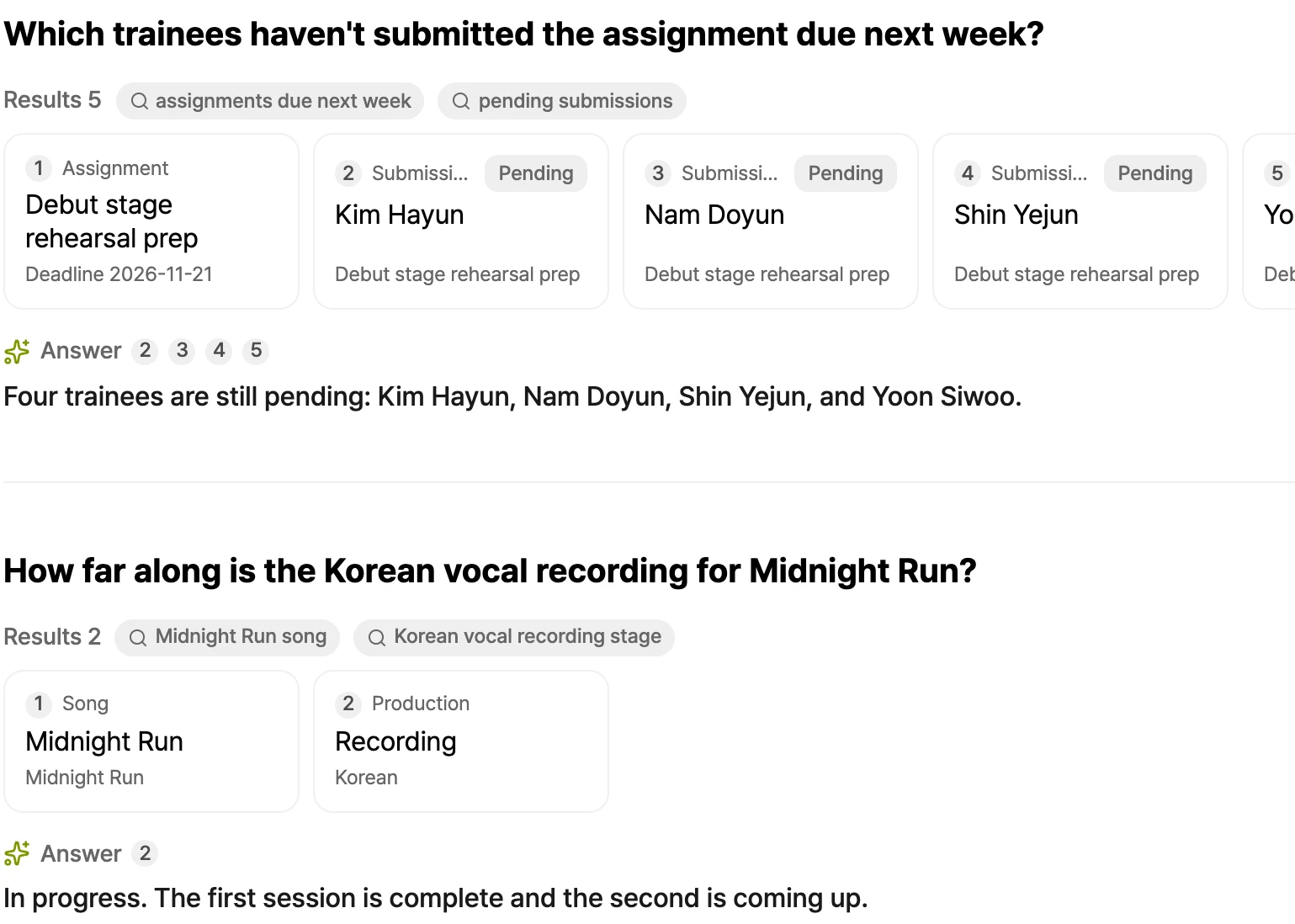
The console's search screen. Asked which trainees have not yet submitted next week's assignment, it shows the assignment and submission cards it looked up and an answer listing them.

And everything else you need

  • Organization

    Manage employees, artists, teams, and partners in one place.

  • Permissions

    Decide what each role and team can see and do.

  • Notifications

    Get notified of mentions, due dates, and new submissions.

  • Multilingual

    Comfortable for everyone in Korean, English, Japanese, and Chinese.

For trainees and guardians, just a phone

No install needed. Add it to the home screen to get notifications. Assignments, coaching, and consent replies all happen on the phone.
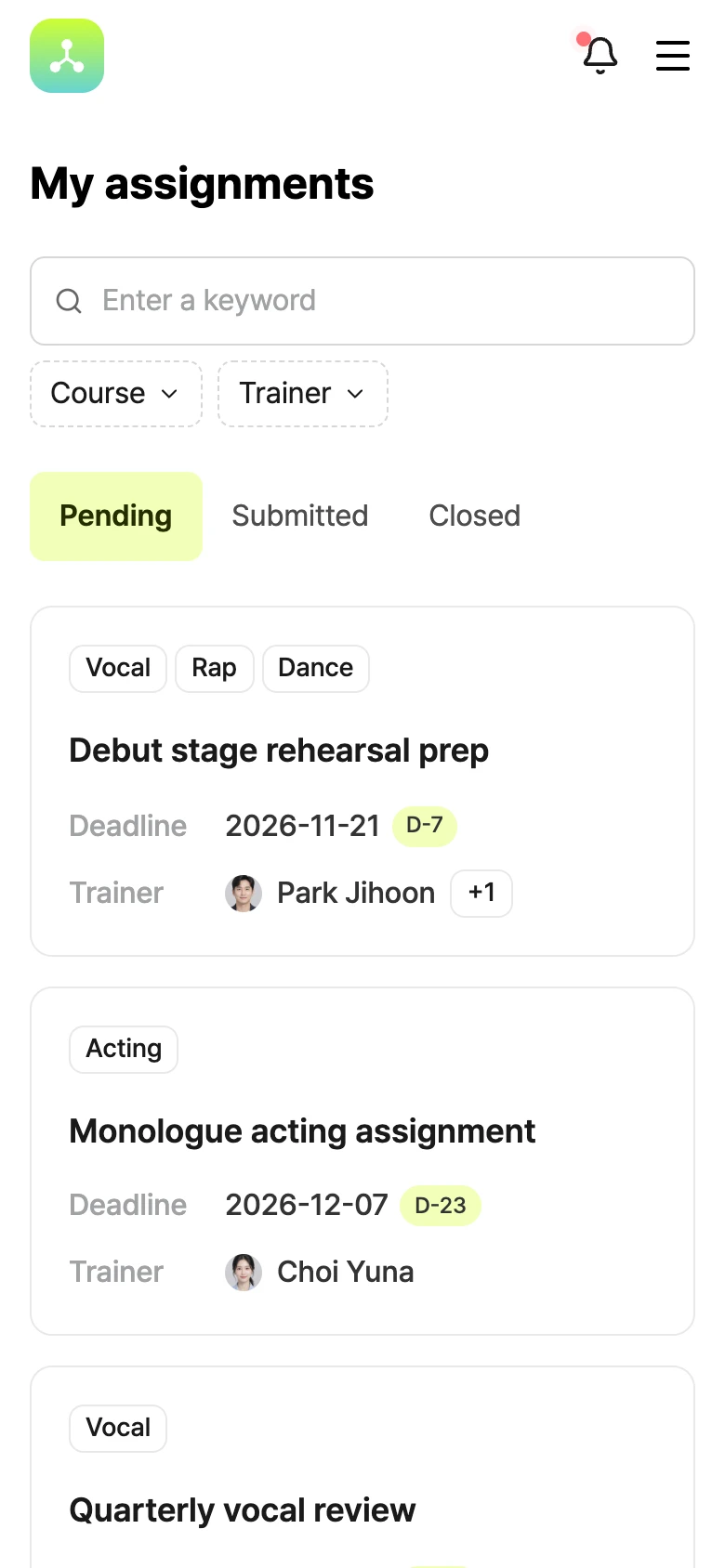
A trainee's My assignments screen. Unsubmitted assignments are shown with their due dates, days left, and trainers.
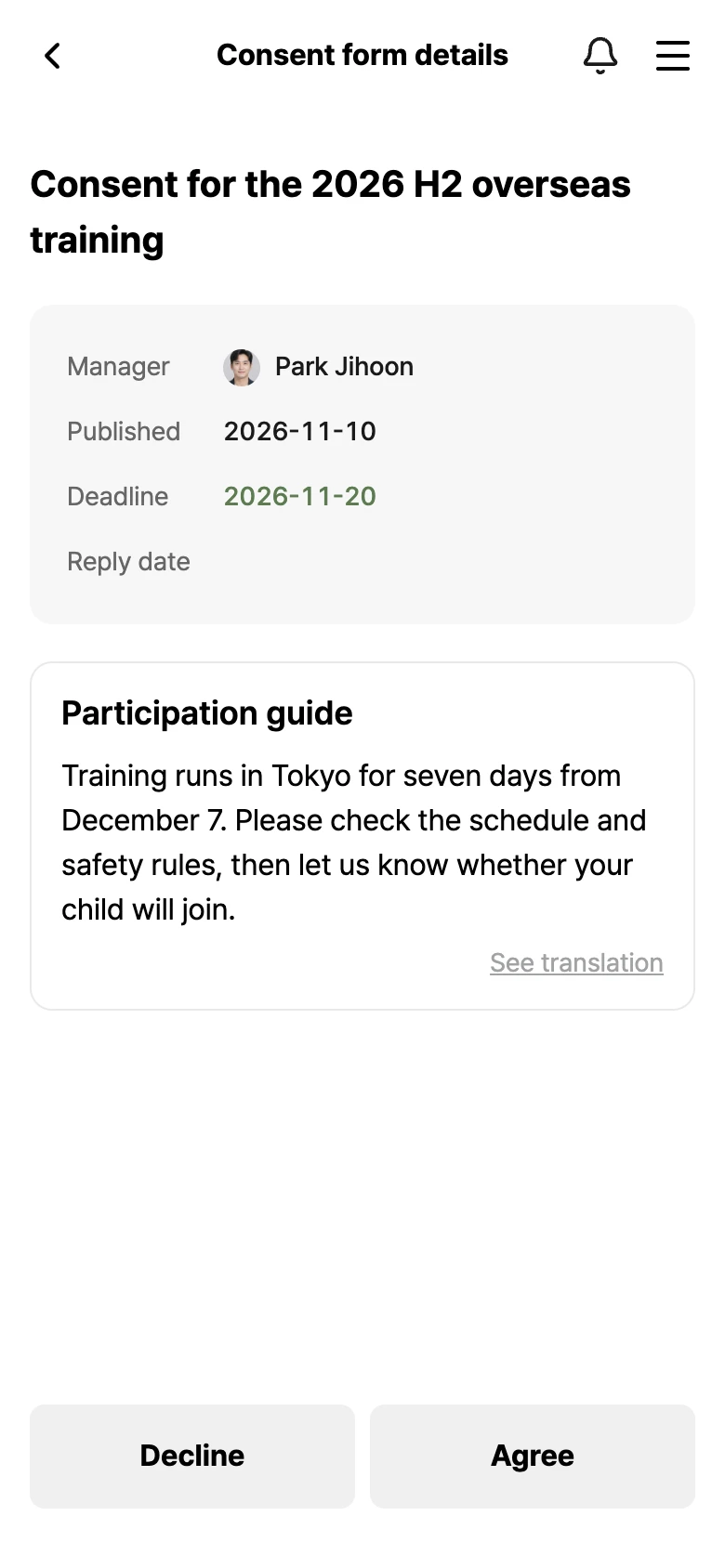
A guardian's consent form screen. Below the manager, due date, participation guide, and attachments are the Decline and Agree buttons.
A trainee's coaching screen. Below a rehearsal video, trainer comments follow with timecodes such as 00:42.500.

Your next debut starts on CUE

Get in touch today.